
How to Validate Multi-Touch Attribution: Step-by-Step
Step-by-step guide to validate multi-touch attribution vs Shapley models using 90-day cross-device data, cohort iROAS tests, server-side + CAPI dedup, and export audits.
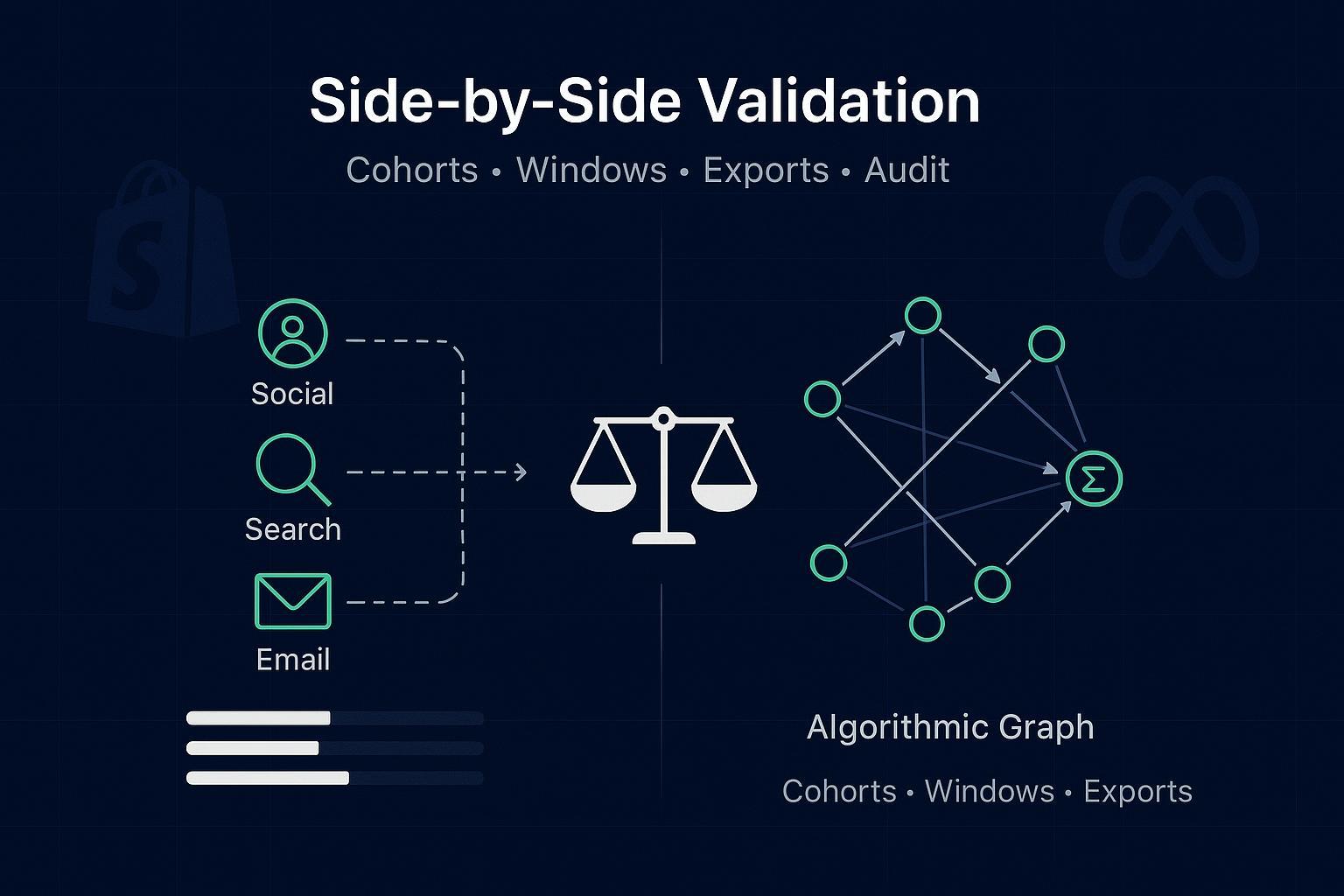
If you’ve ever paused before shifting budget because two models told two different stories, this guide is for you. Below is a reproducible, audit-ready process to run multi-touch models side-by-side against an algorithmic baseline and decide—using cohort-level incremental ROAS—which one actually wins.
Key takeaways
You’ll run a 90-day, cross-device dual-run with server-side events and Meta CAPI dedup to create a trustworthy truth set.
The decision hinges on cohort-level incremental ROAS after budget reallocations suggested by each model.
Shapley value attribution acts as the algorithmic baseline; rule-based multi-touch (linear/time-decay/position-based) provides interpretable benchmarks.
Lock per-channel lookback windows and keep a strict audit trail of model versions, changes, and data completeness checks.
Primary success metric and experiment design (read this first)
Your primary decision criterion is cohort-level incremental ROAS (iROAS) after reallocating budget according to each model’s channel credits. In practice, you’ll:
Form weekly acquisition cohorts and split a small, stable holdout (10–20%).
Run both the rule-based multi-touch set and a Shapley baseline on the same 90-day, cross-device dataset.
Simulate or execute budget shifts that each model recommends and measure iROAS at the cohort level over 30–90 days.
Select the model whose reallocation yields significantly higher iROAS with stable week-over-week results.
Why this matters: clicks and modeled conversions are noisy. By tying model choice to incremental outcomes at the cohort level, you’re optimizing for what the CFO actually cares about.
Step-by-step validation protocol (8 steps)
Freeze scope and windows
Scope: 90 days, cross-device. Implement server-side tracking, Google consent mode, and Meta CAPI dedup. Align GA4 and Google Ads attribution settings and time zones.
Lock windows (see table below) and document them. Don’t change mid-test.
Instrument for integrity
Ensure Meta CAPI uses event_id parity and includes fbc/fbp where applicable; monitor dedup and match quality.
Enable consent mode v2 in Google properties; verify “modeling active” status.
Define acquisition-date cohorts
Weekly cohorts by first touch (or first session) with channel/device splits as needed. Reserve a small, consistent holdout.
Export paths and orders daily
Export touchpoints (channel, timestamp, device, click/view), orders (ID, revenue, currency), identity keys (hashed), consent state, and model configs. Version everything.
Run models in parallel
Rule-based: linear, time-decay, position-based.
Algorithmic: Shapley baseline (sampled permutations). Optionally compute Markov removal effects for triangulation.
Reallocate budgets and measure iROAS
Use each model’s channel credit shares to simulate or implement budget shifts for subsequent cohorts. Track incremental revenue vs. incremental spend.
Check stability and reconcile
Confirm week-over-week stability with fixed windows. Reconcile model-attributed revenue against your server-side truth set.
Decide and document
Choose the model whose recommended shifts delivered higher cohort-level iROAS, with non-overlapping confidence intervals and acceptable stability. Record the decision, rationale, and version.
Tip: Think of the protocol like a wind tunnel for models—you’re observing not just who fits history best, but who flies better when the budget airspeed changes.
Cohort setup with example SQL
Use acquisition week as your cohort key and attach order outcomes over the lookback horizon. Below is an illustrative BigQuery-style snippet; adapt to your schema.
-- Weekly acquisition cohorts by user
  CREATE OR REPLACE TABLE analytics.cohorts AS
  SELECT
    user_id_hash,
    DATE_TRUNC(MIN(first_touch_ts), WEEK(MONDAY)) AS cohort_week,
    ANY_VALUE(first_touch_channel) AS cohort_channel
  FROM analytics.user_first_touch
  GROUP BY 1;

  -- Join orders to cohorts within 90 days
  CREATE OR REPLACE TABLE analytics.cohort_orders AS
  SELECT
    c.cohort_week,
    o.order_id,
    o.order_ts,
    o.revenue,
    o.currency
  FROM analytics.cohorts c
  JOIN analytics.orders o
    ON o.user_id_hash = c.user_id_hash
  WHERE o.order_ts BETWEEN c.cohort_week AND DATE_ADD(c.cohort_week, INTERVAL 90 DAY;
For Shopify, pair Orders with journey/session context (e.g., CustomerVisit/CustomerJourney) and standardized UTMs. See Shopify’s Orders and CustomerJourney/Visit objects for field references.
Orders REST resource fields: according to Shopify’s official Orders REST documentation: https://shopify.dev/docs/api/admin-rest/latest/resources/order
CustomerVisit and CustomerJourney objects: see Shopify Admin GraphQL docs for CustomerVisit and CustomerJourney: https://shopify.dev/docs/api/admin-graphql/latest
Per-channel lookback windows and sensitivity for multi-touch attribution validation
Set a policy, then test sensitivity. Keep it constant during the validation period.
Channel | Click window | View window | Notes |
|---|---|---|---|
Paid Social (Meta/TikTok) | 7 days | 1 day | Test ±3–7 days for sensitivity; Meta API changes may affect view reporting. |
Search/Shopping | 30 days | n/a | Consider device splits if applicable. |
Display/YouTube | 7–30 days | 1–7 days | Be explicit on view-through policy. |
Email/SMS | 30 days | n/a | Clarify last non-direct touch overrides. |
To run a simple sensitivity check, re-run models with widened/narrowed windows and inspect week-over-week shifts. Large swings (>10%) warrant investigation before making budget decisions.
Platform configuration references
GA4 attribution settings and lookback windows: Google explains how to configure key event attribution and lookback in Admin. See Google’s GA4 Help: https://support.google.com/analytics/answer/10596866
Campaign Manager 360 comparisons and lookback overrides: See Google’s CM360 Help on lookback windows and report configuration: https://support.google.com/campaignmanager/answer/3027419
Data integrity and instrumentation checklist
Meta Conversions API deduplication: send event_id consistently for browser and server events; include fbc/fbp parameters in the proper formats to improve match quality. See Meta Developers on fbp and fbc: https://developers.facebook.com/docs/marketing-api/conversions-api/parameters/fbp-and-fbc/ and Conversions API Gateway: https://developers.facebook.com/docs/marketing-api/gateway-products/conversions-api-gateway/
Consent mode v2 (Google): implement advanced mode so modeling can recover conversions when consent is denied; verify “modeling active” status. See Google Ads consent mode overview: https://support.google.com/google-ads/answer/10000067 and verification guidance: https://support.google.com/google-ads/answer/14218557
GA4 and Google Ads alignment: link properties, match attribution models and lookback windows, and keep consistent time zones. See GA4 Admin attribution settings: https://support.google.com/analytics/answer/13965727 and Google Ads attribution model help: https://support.google.com/google-ads/answer/6259715
Shopify exports: include order_id, revenue, currency, and marketing context (UTMs, landing page, referrer). Build reconciliation jobs and track data completeness daily (target ≥95%). Shopify webhooks best practices: https://shopify.dev/docs/apps/build/webhooks/best-practices
For a practical, Shopify-first walkthrough on server-side tracking and Meta destination mapping, see these guides:
How to Set Up Shopify Server-Side Tracking (Attribuly guide): https://attribuly.com/blogs/how-to-shopify-server-side-tracking/
Meta destination: server-side tracking (Attribuly help): https://support.attribuly.com/en/articles/6859245-meta-facebook-destination-the-server-side-tracking
Exports and audit trail: schemas and manifests
Keep exports consistent and versioned. A simple CSV schema for path and order data:
Field | Type | Example |
|---|---|---|
user_id_hash | STRING | 9a1… |
session_id | STRING | s_123 |
event_id | STRING | e_456 |
touchpoint_ts_utc | TIMESTAMP | 2026-01-07 14:05:10 |
channel | STRING | Meta |
campaign | STRING | spring_sale |
device | STRING | mobile |
is_click | BOOL | true |
is_view | BOOL | false |
order_id | STRING | 100234 |
revenue | NUMERIC | 129.00 |
currency | STRING | USD |
model_version | STRING | rb_linear_v1 |
lookback_window | STRING | 7c/1v |
consent_state | STRING | granted |
dedup_key | STRING | e_456 |
A minimal model run manifest (store alongside daily exports):
run_date: 2026-01-27
  range: 2025-10-01..2025-12-31
  models:
    - type: rule_based_linear
      params: {window: "7c/1v_social,30c_search"}
      version: rb_linear_v1
    - type: shapley
      params: {permutations: 5000, window_policy: "locked"}
      version: shapley_v1
  checks:
    completeness: 0.97
    meta_dedup_rate: 0.03
    consent_modeling_status: active
  change_log: https://your_repo/changelogs/2026-01-27.md
Verification and statistical tests for multi-touch attribution validation
Bootstrapped confidence intervals: resample paths and recompute channel credits for each model. If CIs overlap heavily across models, avoid premature reallocation.
Stability checks: aim for <10% week-over-week variance in channel shares with fixed windows; large shifts may indicate data or tagging drift.
Cohort iROAS measurement: when reallocating budget per model, compute iROAS = incremental revenue / incremental spend. Prefer holdouts, geo experiments, or platform lift tests when feasible. See Google Ads incrementality guidance: https://support.google.com/google-ads/answer/12005564 and Think with Google’s modern measurement playbook: https://www.thinkwithgoogle.com/_qs/documents/18393/For_pub_on_TwG___External_Playbook_Modern_Measurement.pdf
Decision rule: adopt the model whose budget plan produced meaningfully higher cohort-level iROAS with non-overlapping CIs and acceptable stability. If results are inconclusive, extend the window to 60–90 days or aggregate channels.
Troubleshooting playbook (quick diagnostics)
A channel’s credit spikes unexpectedly? Check data completeness, UTM taxonomy drift, and whether any lookback window changed. Confirm platform settings and referral exclusions.
High Meta duplicate rate? Verify event_id parity, ensure fbc/fbp are present in the right format, and confirm consistent timestamps; inspect any CAPI Gateway mapping changes.
Low Google consent modeling uplift? Confirm advanced consent mode implementation; validate “modeling active” status; ensure your CMP signals are flowing correctly.
GA4 vs Google Ads mismatches? Align attribution models and lookback windows; verify time zones and imported key events.
Shopify reconciliation gaps? Ensure CustomerVisit/CustomerJourney fields or equivalent UTMs are captured; implement reconciliation jobs (e.g., updated_at polling) to close webhook gaps.
Practical workflow example: using Attribuly in a neutral, auditable setup
Disclosure: Attribuly is our product.
Here’s one way a team can operationalize the dual-run with a Shopify-first stack while maintaining an audit trail:
Configure Shopify server-side tracking and Meta destination using the guides above, ensuring event_id parity and fbc/fbp support. For cross-device stitching considerations, see the Attribuly cross-device guide: https://attribuly.com/blogs/shopify-cross-device-tracking-beginner-guide/
Align GA4 and Google Ads attribution settings with this Attribuly checklist to reduce reconciliation surprises: https://attribuly.com/blogs/shopify-ga4-attribution-checklist-unify-ads/
Set daily exports of path and order data. If you centralize to BigQuery, use a manifest like the YAML example, and tag model versions (e.g., shapley_v1, rb_linear_v1). For integration references, see Google Ads integration: https://attribuly.com/integrations/google-ads/
Minimal mapping notes (example)
Source | Field | Target |
|---|---|---|
Web pixel & CAPI | event_id | dedup_key |
Cookies/params | fbc/fbp | user_data enrichment |
Shopify Orders | id, processed_at, total_price, currency | order_id, order_ts, revenue, currency |
UTM params | source/medium/campaign/content | channel/campaign fields |
This workflow does not assert performance claims; it simply sets up a transparent pipeline so your multi-touch attribution validation can be replicated and audited.
Appendix: quick snippets and further reading
Shapley sketch (sampling-based)
import random

  def shapley_contribution(channels, value_fn, samples=5000):
      contrib = {c: 0.0 for c in channels}
      for _ in range(samples):
          perm = random.sample(channels, len(channels))
          current = set()
          last_val = 0.0
          for c in perm:
              current.add(c)
              new_val = value_fn(current)
              contrib[c] += (new_val - last_val)
              last_val = new_val
      for c in channels:
          contrib[c] /= samples
      return contrib
Authoritative documentation and respected explainers
Google consent mode (2026) overview and verification: https://support.google.com/google-ads/answer/10000067 and https://support.google.com/google-ads/answer/14218557
GA4 Admin attribution settings and lookback windows (2026): https://support.google.com/analytics/answer/10596866 and https://support.google.com/analytics/answer/13965727
Google Ads attribution model help (2026): https://support.google.com/google-ads/answer/6259715
CM360 lookback configuration (2026): https://support.google.com/campaignmanager/answer/3027419
Meta Conversions API parameters fbp/fbc and Gateway (2026): https://developers.facebook.com/docs/marketing-api/conversions-api/parameters/fbp-and-fbc/ and https://developers.facebook.com/docs/marketing-api/gateway-products/conversions-api-gateway/
Shopify Orders REST and Admin GraphQL objects (2026): https://shopify.dev/docs/api/admin-rest/latest/resources/order and https://shopify.dev/docs/api/admin-graphql/latest
Shapley and Markov explainers: https://lebesgue.io/marketing-attribution/understanding-shapley-values-in-marketing and https://dzone.com/articles/multi-touch-attribution-models plus Markov overview: https://www.triplewhale.com/blog/markov-chain-attribution
Incrementality and iROAS testing: https://support.google.com/google-ads/answer/12005564 and Think with Google playbook: https://www.thinkwithgoogle.com/_qs/documents/18393/For_pub_on_TwG___External_Playbook_Modern_Measurement.pdf
—
How the keyword ties together
This process gives you real multi-touch attribution validation, comparing rule-based MTA to a Shapley baseline on the same dataset.
With locked windows, server-side reconciliation, and cohort iROAS, you’re executing multi-touch attribution validation designed for 2026 realities.
The audit trail ensures your multi-touch attribution validation can be replicated and defended with confidence.